100% Free & Open Source

Your Data Expert, Inside Your AI IDE

More than just a skill—Crushdataai embeds a complete data analyst into Claude, Cursor, Windsurf, and more. 100% free and open source.

Stop prompting blindly. Start analyzing like a pro.

bash
$
Data Secure
User Friendly
Community Driven

Works with your favorite AI IDEs:

Claude CodeClaude Code
CursorCursor
WindsurfWindsurf
AntigravityAntigravity
GitHub CopilotGitHub Copilot
K
Kiro
Features

Why Data Pros Love Us

Crushdataai combines powerful AI with an intuitive interface to supercharge your data workflows.

Analysis Workflows

Stop prompting blindly. Pre-built workflows guide AI through EDA, A/B testing, cohorts, and more—no guesswork.

400+ Searchable Patterns

Why reinvent the wheel? Search battle-tested SQL, Python snippets, and metric formulas in seconds.

Context-Building Protocol

AI hallucinates less when it asks first. Our protocol forces validation before any analysis begins.

Industry Modules

Generic AI doesn't know SaaS MRR from E-commerce AOV. Get metrics that actually match your business.

Secure Connections

Your credentials never leave your machine. Connect to MySQL, Postgres, Shopify, or BigQuery with zero cloud risk.

Smart Visualization

AI picks the wrong chart 90% of the time. Our context engine suggests the right viz for your data, every time.

How It Works

Get Started in Intelligent Steps

From installation to cross-IDE data analysis. Follow these steps to crush your data.

1

Install via CLI

Install the package globally to access the command line interface from anywhere.

Terminal
npm install -g crushdata
2

Initialize Project

Set up your AI skills and context files for your preferred IDEs in seconds.

  • Creates Knowledge Base (~400 patterns)
  • Generates skill files for 6+ AI IDEs
Terminal
crushdata init --ai all
# Generating skill files...
.shared/data-analyst created
.cursor/commands/data-analyst.md created
.agent/workflows/data-analyst.md created
...and 4 more IDE configs enabled
3

Connect & Analyze

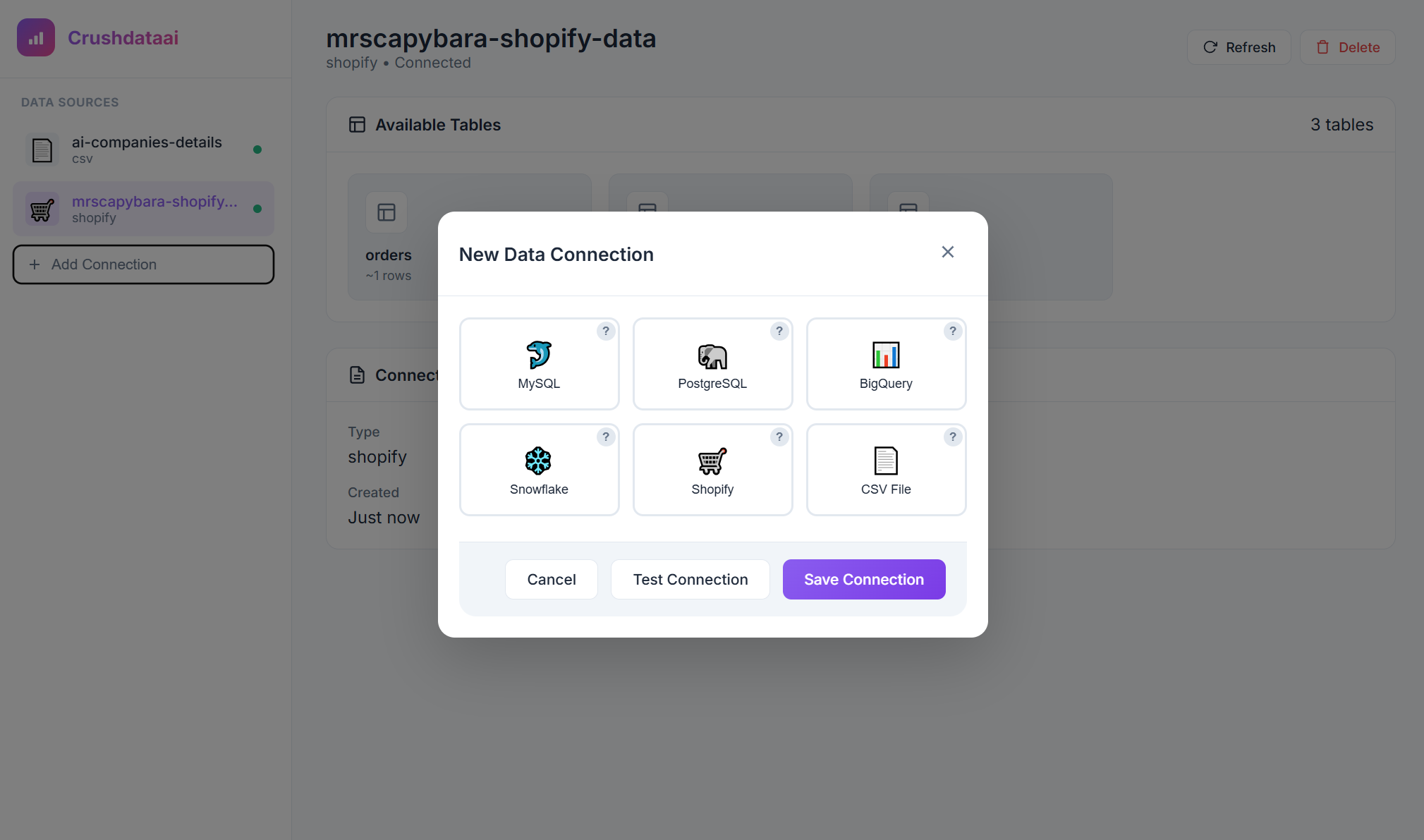
Link your data sources and start chatting with your data in your AI IDE.

Terminal
crushdata connect
Data Source Connection UI
4

Ask in Claude Code

The skill activates automatically when you request data analysis work. Just chat naturally:

Claude Code
Analyze customer churn for my SaaS product
5

Use Slash Commands

In Cursor, Windsurf, Antigravity, or Copilot, use the slash command to invoke the skill:

Cursor / Windsurf / Antigravity
/data-analyst Analyze customer churn for my SaaS product
Kiro / GitHub Copilot
/data-analyst Analyze customer churn for my SaaS product
6

Example Prompts

"Analyze customer churn for my SaaS product"
"Create a dashboard for e-commerce analytics"
"Calculate MRR and ARR from subscription data"
"Build a cohort retention analysis"
"Perform A/B test analysis on conversion rates"
"Search for EDA workflows in the library"
Community

Join the Movement

Be part of the open source data revolution. Contribute, learn, and grow together.

1 ⭐
GitHub Star (be #2!)
1 🧑‍💻
Contributor (lonely dev)
Cups of Coffee ☕

Ready to Crush Your Data?

Get started with Crushdataai in minutes. Free, open source, and community-driven.